BEGIN:VCALENDAR
VERSION:2.0
CALSCALE:GREGORIAN
METHOD:PUBLISH
PRODID://NEOL//356014
BEGIN:VEVENT
DTSTAMP:20260820T084711
VTIMEZONE:America/New_York
DTSTART:20241002T140000Z
DTEND:20241002T150000Z
UID:356014
SUMMARY:Accessible Digital Libraries: Navigating Smartphone Assistive Technology with Low-Vision Patrons
LOCATION:Online via Zoom
DESCRIPTION:Accessible Digital Libraries: Navigating Smartphone Assistive Technology with Low-Vision Patrons\n\n10/02/24 10:00 AM EST\n - 10/02/24 11:00 AM EST\Description:\nHave you ever wondered what assistive technology options exist to break down the barrier between library collections and our patrons with visual impairment or blindness? Join this webinar to get an introduction to built-in accessibility features on today's smartphones and see how they can be used to access library apps. We'll go over the basic gestures to get you started as well as tips for navigating. This will include a brief demonstration using the Libby app, but the skills can apply to any accessible digital collection.\n \n***Attendees are encouraged to bring a mobile device (and headphones for it if you won't have a space to yourself) to participate in the practice portion of the presentation.\n\nLearning Objectives:\n\n Understand why working with a mobile device's native accessibility features is important to equitable library service.\n Identify and explain accessibility features native to Apple iOS and Android mobile devices.\n Borrow and listen to digital audiobooks using only their hands and ears (no vision required).\n\n\nPresenter:\n\nAlyssa Hanson has been the Web Specialist at the Iowa City Public Library (ICPL) since 2016. Her work has included redesigning, building, and maintaining ICPL’s website as well as leading the front-end design work on ICPL's catalog, app, and other web projects. While not coding, she also works on the Info Desk helping people with technology and reference questions. She is continually looking for ways to improve the usability and accessibility of ICPL and its web presence as well as opportunities to help others learn more about accessibility.\n \Details:\nWho should attend: Anyone interested in learning how to navigate Smartphone Assistive Technology with low-vision patrons\nCompetencies: Equity, Diversity, and Inclusion and Patron Awareness\n\nNon-Member Cost: $40\nNEO-RLS Bronze Member Cost: $24\nNEO-RLS Silver Member Cost: FREE\nNEO-RLS Gold Member Cost: FREE\nNEO-RLS Individual Member Cost: $20\n\nCan't attend on the date or time listed? Sign up anyway! This webinar includes archive access for later viewing at your convenience.\n \nIt’s never too late to save your library money. NEO-RLS Memberships are pro-rated! Call us today to join.\Location:\nOnline via Zoom\n\n,
X-ALT-DESC;FMTTYPE=text/html:Accessible Digital Libraries: Navigating Smartphone Assistive Technology with Low-Vision Patrons
10/02/24 10:00 AM EST - 10/02/24 11:00 AM EST
Description:
Have you ever wondered what assistive technology options exist to break down the barrier between library collections and our patrons with visual impairment or blindness? Join this webinar to get an introduction to built-in accessibility features on today's smartphones and see how they can be used to access library apps. We'll go over the basic gestures to get you started as well as tips for navigating. This will include a brief demonstration using the Libby app, but the skills can apply to any accessible digital collection.
***Attendees are encouraged to bring a mobile device (and headphones for it if you won't have a space to yourself) to participate in the practice portion of the presentation.
Learning Objectives:
- Understand why working with a mobile device's native accessibility features is important to equitable library service.
- Identify and explain accessibility features native to Apple iOS and Android mobile devices.
- Borrow and listen to digital audiobooks using only their hands and ears (no vision required).
Presenter:
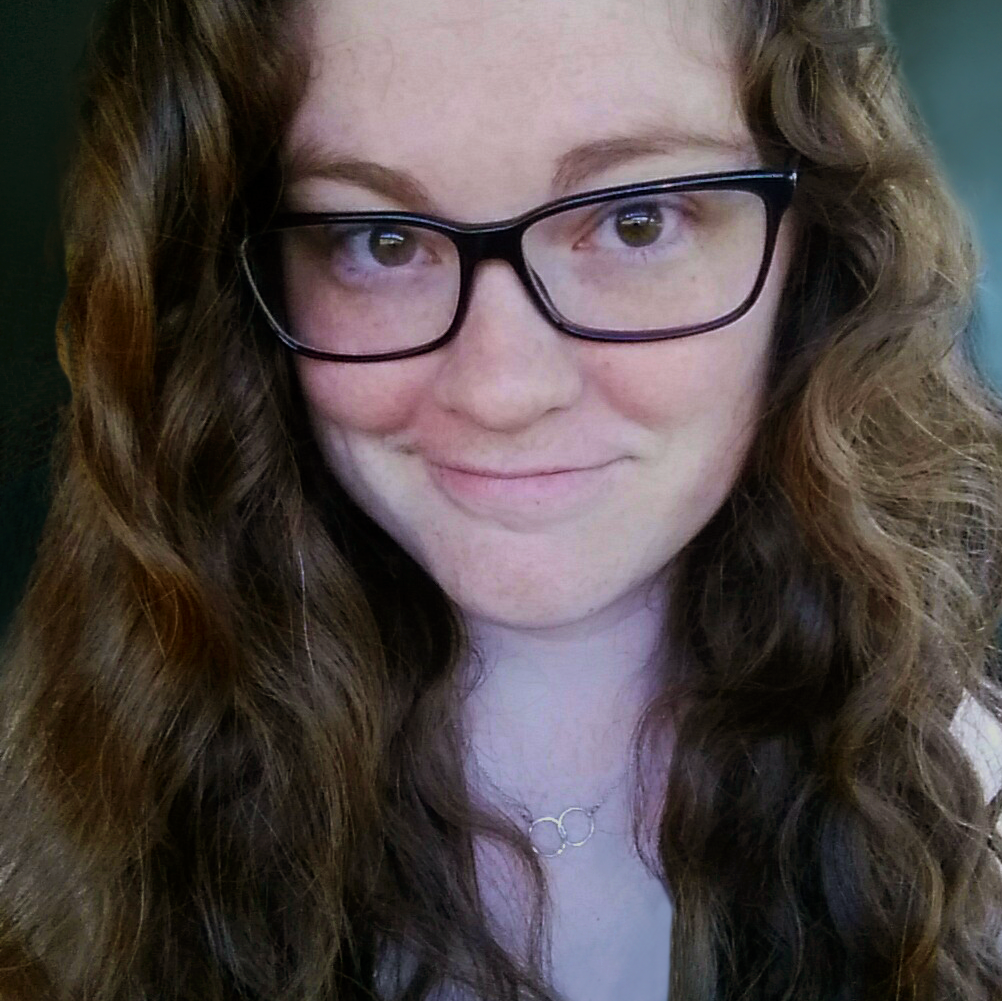 Alyssa Hanson has been the Web Specialist at the Iowa City Public Library (ICPL) since 2016. Her work has included redesigning, building, and maintaining ICPL’s website as well as leading the front-end design work on ICPL's catalog, app, and other web projects. While not coding, she also works on the Info Desk helping people with technology and reference questions. She is continually looking for ways to improve the usability and accessibility of ICPL and its web presence as well as opportunities to help others learn more about accessibility.
Details:
Who should attend: Anyone interested in learning how to navigate Smartphone Assistive Technology with low-vision patrons
Competencies: Equity, Diversity, and Inclusion and Patron Awareness
Non-Member Cost: $40
NEO-RLS Bronze Member Cost: $24
NEO-RLS Silver Member Cost: FREE
NEO-RLS Gold Member Cost: FREE
NEO-RLS Individual Member Cost: $20
Can't attend on the date or time listed? Sign up anyway! This webinar includes archive access for later viewing at your convenience.
It’s never too late to save your library money. NEO-RLS Memberships are pro-rated! Call us today to join.
Location:
Online via Zoom
,
PRIORITY:3
TRANSP:TRANSPARENT
BEGIN:VALARM
TRIGGER:-PT5M
ACTION:DISPLAY
DESCRIPTION:Reminder
END:VALARM
END:VEVENT
END:VCALENDAR