BEGIN:VCALENDAR
VERSION:2.0
CALSCALE:GREGORIAN
METHOD:PUBLISH
PRODID://NEOL//181707
BEGIN:VEVENT
DTSTAMP:20260406T144052
VTIMEZONE:America/New_York
DTSTART:20191023T140000Z
DTEND:20191023T150000Z
UID:181707
SUMMARY:Hosting a Wikipedia Edit-a-thon in Your Library
LOCATION:Online via Adobe Connect
DESCRIPTION:Hosting a Wikipedia Edit-a-thon in Your Library\n\n10/23/19 10:00 AM EST\n - 10/23/19 11:00 AM EST\Description:\nIn this webinar, you will learn the basics for holding a Wikipedia Edit-a-thon in your library. Edit-a-thons are a great programming activity for adults, or an opportunity to partner with a local organization. The presenter will share what worked and what didn’t from two separate editing events.\n\nLearning objectives:\n\n\n Create/define a Wikipedia Edit-a-thon\n Prepare and plan for the event\n Conduct and evaluate the event\n\nPresenter:\nBeth Owens is the Research & Scholarly Communications Librarian in the Ingalls Library at the Cleveland Museum of Art. In her role she liaises with several different departments within the museum, and serves as a personal librarian for graduate students enrolled in the Joint Program in Art History and Museum Studies with Case Western Reserve University. Beth has a BA in Art History from Northwestern University, and an MLIS from Kent State University.\Details:\nWho Should Attend: Anyone interested in learning more about having a Wikipedia Edit-a-thon in Your Library\n\nCompetency: Programming\n\nGEO Cost: $40\nBronze Cost: $24\nSilver Cost: FREE\nGold Cost: FREE\n\nCan't attend on the date or time listed? Sign up anyway! All of our webinars include archive access for later viewing at your convenience.\n\nIt’s never too late to save your library money. NEO-RLS Memberships are pro-rated! Call us today to join.\Location:\nOnline via Adobe Connect\n\n,
X-ALT-DESC;FMTTYPE=text/html:Hosting a Wikipedia Edit-a-thon in Your Library
10/23/19 10:00 AM EST - 10/23/19 11:00 AM EST
Description:
In this webinar, you will learn the basics for holding a Wikipedia Edit-a-thon in your library. Edit-a-thons are a great programming activity for adults, or an opportunity to partner with a local organization. The presenter will share what worked and what didn’t from two separate editing events.
Learning objectives:
- Create/define a Wikipedia Edit-a-thon
- Prepare and plan for the event
- Conduct and evaluate the event
Presenter:
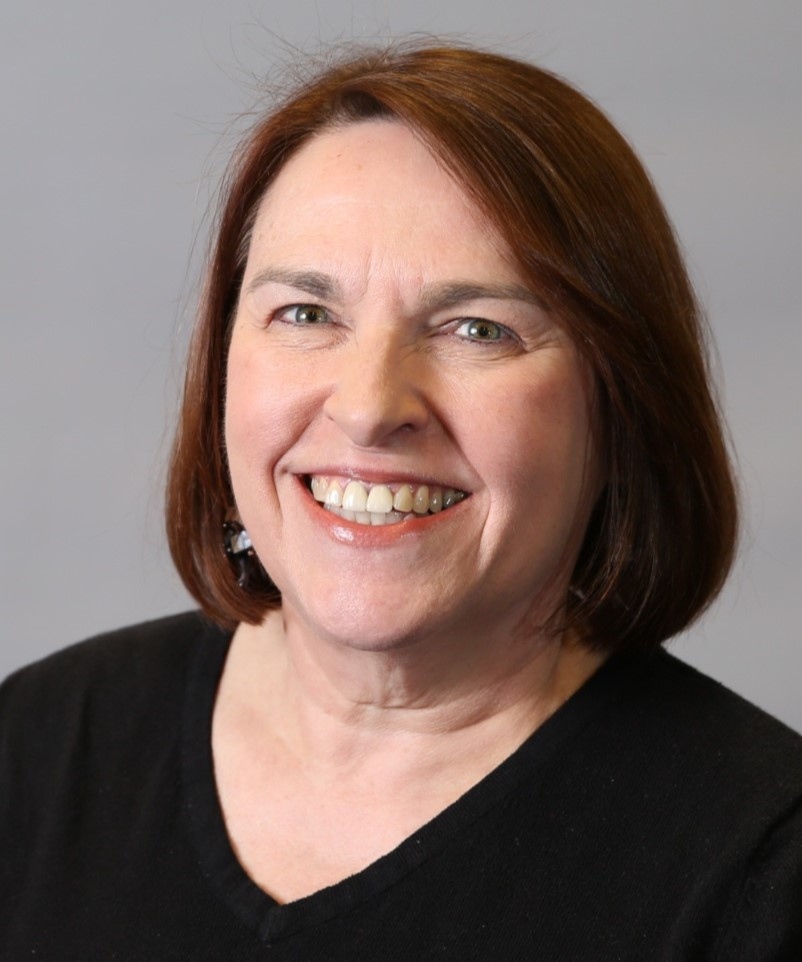 Beth Owens is the Research & Scholarly Communications Librarian in the Ingalls Library at the Cleveland Museum of Art. In her role she liaises with several different departments within the museum, and serves as a personal librarian for graduate students enrolled in the Joint Program in Art History and Museum Studies with Case Western Reserve University. Beth has a BA in Art History from Northwestern University, and an MLIS from Kent State University.
Details:
Who Should Attend: Anyone interested in learning more about having a Wikipedia Edit-a-thon in Your Library
Competency: Programming
GEO Cost: $40
Bronze Cost: $24
Silver Cost: FREE
Gold Cost: FREE
Can't attend on the date or time listed? Sign up anyway! All of our webinars include archive access for later viewing at your convenience.
It’s never too late to save your library money. NEO-RLS Memberships are pro-rated! Call us today to join.
Location:
Online via Adobe Connect
,
PRIORITY:3
TRANSP:TRANSPARENT
BEGIN:VALARM
TRIGGER:-PT5M
ACTION:DISPLAY
DESCRIPTION:Reminder
END:VALARM
END:VEVENT
END:VCALENDAR